

" transform="translate(6.667 25)" width="26.666666666666668px"/><path d="M 6.667 13.333 C 10.349 13.333 13.333 10.349 13.333 6.667 C 13.333 2.985 10.349 0 6.667 0 C 2.985 0 0 2.985 0 6.667 C 0 10.349 2.985 13.333 6.667 13.333 Z" fill="transparent" height="13.333333333333336px" id="m1fSvCRzI" stroke-dasharray="" stroke-linecap="round" stroke-linejoin="round" stroke-width="3.33" stroke="rgb(13, 27, 62)" transform="translate(13.333 5)" width="13.333333333333334px"/></svg>)
" transform="translate(5 6.667)" width="30px"/><path d="M 0 0 L 0 6.667" fill="transparent" height="6.666666666666666px" id="CaiNLpJCJ" stroke-dasharray="" stroke-linecap="round" stroke-linejoin="round" stroke-width="3.33" stroke="rgb(13, 27, 62)" transform="translate(26.667 3.333)" width="1px"/><path d="M 0 0 L 0 6.667" fill="transparent" height="6.666666666666666px" id="xGLT9Vw9m" stroke-dasharray="" stroke-linecap="round" stroke-linejoin="round" stroke-width="3.33" stroke="rgb(13, 27, 62)" transform="translate(13.333 3.333)" width="1px"/><path d="M 0 0 L 30 0" fill="transparent" height="1px" id="uv_5VZMDi" stroke-dasharray="" stroke-linecap="round" stroke-linejoin="round" stroke-width="3.33" stroke="rgb(13, 27, 62)" transform="translate(5 16.667)" width="30px"/></svg>)
Updated October 2026
Marketing project management software helps marketing teams take in requests, plan campaigns, route creative through review and approval, and see who has capacity, all in one place. We compared 12 tools on the things marketing work actually needs, which general task tools often miss.
Short answer: Hive is our top pick for in-house marketing, creative and agency teams that need intake forms, proofing and approvals, resourcing and AI in one workspace. Adobe Workfront and Wrike suit large enterprise marketing operations, Asana and Monday.com are strong for cross-team campaign planning, CoSchedule is the best pure marketing calendar, and Trello is the simplest option for small teams.
Full disclosure: Hive makes this blog. We've tried to be fair about where other tools are a better fit, and we say so below.
Why generic project management tools fall short for marketing
Most project management tools were built for linear work: a task gets done and checked off. Marketing work rarely ends that way. A campaign spans several channels, creative goes through rounds of feedback, and "done" usually means approved by brand, legal and a stakeholder or two. Generic tools tend to break down in four places:
Creative review: attaching a file and leaving comments turns into long threads, lost context and "final_v7" files. Marketers need markup on images, video and copy, version history and a record of who approved what.
Multi-stage approvals: work often moves through brand, legal and leadership in a set order. Without approval workflows, someone has to chase each reviewer by hand.
Campaign calendars: marketers plan around launch dates, content cadences and embargoes, not just task due dates.
Capacity by role: a motion designer, a copywriter and a media buyer aren't interchangeable, so workload planning has to happen by person and role.
What to look for in marketing project management software
Request intake: a form that turns a request into a ready-to-go project or task, so work starts with a complete brief instead of a string of meetings.
Proofing and approvals: markup on images, video and PDFs, version comparison and reusable multi-stage approval flows.
Campaign views: calendar, Gantt and portfolio views so you can see every launch and its dependencies.
Resourcing and time tracking: workload by person and role, so you can say yes or no to new requests with real data.
External access: a safe way to bring in freelancers, agencies and clients without opening up your whole workspace.
Templates: reusable plans for launches, content calendars and paid campaigns.
Reporting: dashboards that show what's in review, what's overdue and where approvals get stuck.
AI that does real work: turning briefs into plans, summarizing feedback and checking creative before it reaches a reviewer.
Best marketing project management software at a glance
Tool | Best for | Proofing and approvals |
|---|---|---|
Hive | In-house marketing, creative and agency teams | Built in (add-on) |
Adobe Workfront | Enterprise marketing operations | Built in |
Wrike | Large teams with complex review cycles | Built in |
Asana | Cross-team campaign planning | Basic |
Monday.com | Visual campaign boards | Basic |
ClickUp | All-in-one on a budget | Basic |
Smartsheet | Spreadsheet-driven marketing ops | Built in (higher plans) |
CoSchedule | Content and social calendars | Not included |
Airtable | Content operations databases | Not included |
Teamwork.com | Agencies tracking billable work | Not included |
Workamajig | Creative agencies that need job costing and billing | Not included |
Trello | Small teams and simple content boards | Not included |
Which tool fits your team
Team | What matters most | Good fits |
|---|---|---|
In-house marketing team | Intake, campaign calendar, proofing, reporting | Hive, Asana, Monday.com |
Creative or content team | Proofing, versions, approval flows | Hive, Wrike, Adobe Workfront |
Marketing agency | Client access, time tracking, budgets | Hive, Teamwork.com, Workamajig |
Enterprise or regulated marketing | Multi-stage approvals, audit trail, security | Adobe Workfront, Wrike, Hive Enterprise |
Small team or solo marketer | Simple boards, a free plan | Trello, Hive Free, ClickUp |
The 12 best marketing project management tools in 2026
1. Hive — Best overall for marketing teams

Hive is a work management platform built around how marketing, creative and agency teams work. Requests, campaign plans, creative reviews, approvals, time and conversations live in one workspace, and Buzz, Hive's AI agent, handles much of the busywork in between.
Intake that starts the work: a Hive Form can create a project or task the moment it's submitted, apply your campaign template and assign the first owner.
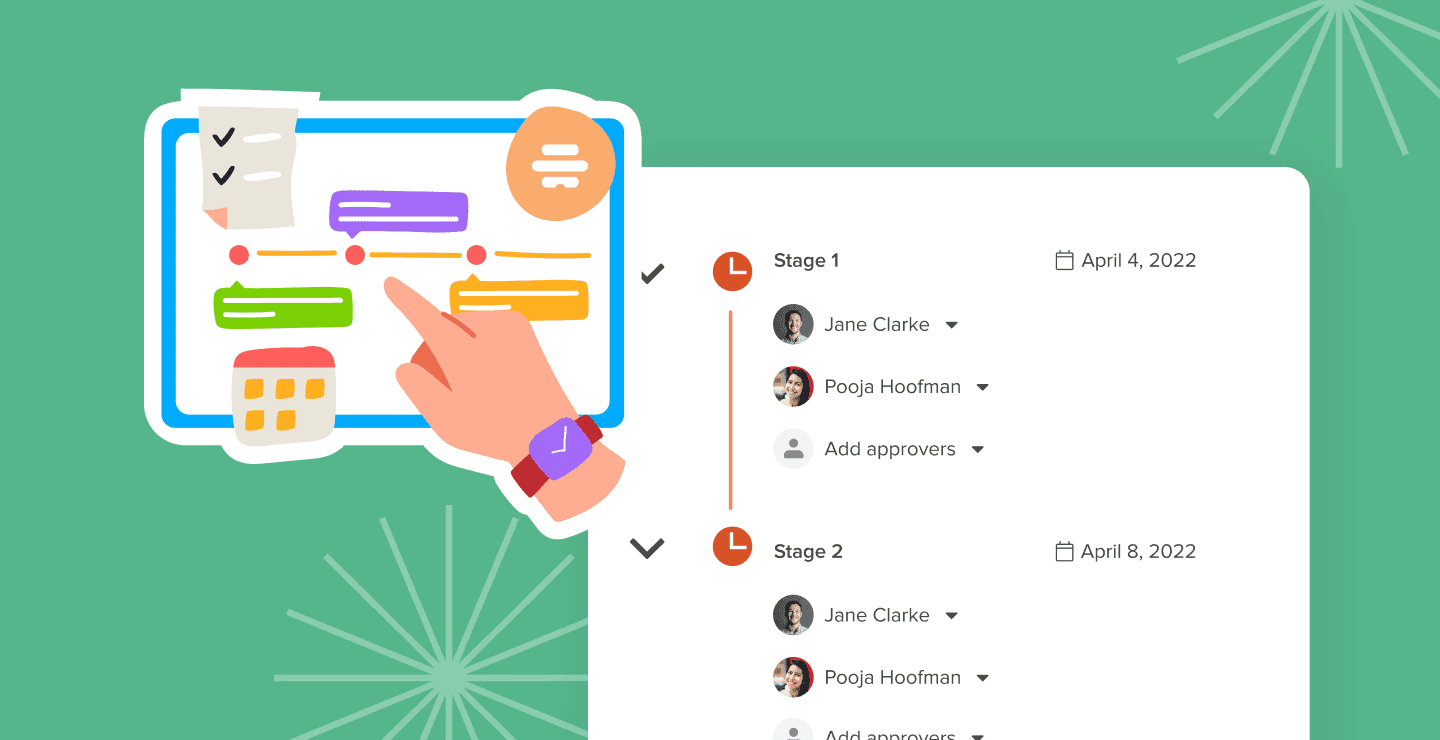
Proofing and approval templates: mark up images, video and PDFs, then save a review sequence (for example brand, then legal, then the CMO) and reuse it on every asset.
AI Proofing: checks creative against your brand guidelines before it reaches a human reviewer.
Buzz AI: turns briefs and meeting notes into task plans and flags work that's at risk of slipping.
Campaign views: calendar, Gantt, Kanban, table and portfolio views on the same work, so you can see every launch at once.
Resourcing and time tracking: see who has capacity by person and role, and track time against campaigns or clients.
External users: bring in freelancers, agencies and clients for specific tasks and approvals without opening your whole workspace.
Marketing templates: ready-made Marketing Plan, Content Calendar, Paid Marketing Campaign and PR Campaign templates in the Template Library.
Pricing: free for up to 10 workspace members; Starter $5/user/month; Teams $12/user/month; Enterprise custom. Proofing and approvals, timesheets, team resourcing, advanced dashboards and external users are $5 add-ons. Every plan starts with a 14-day trial of all features. See Hive pricing.
Marketing teams using Hive: the concept design studio at Starbucks moved its store design projects out of Excel and into Hive. "Starbucks couldn't roll new stores out so quickly without Hive," says Brian Collins, Interior Concepts Design Manager. Eggland's Best used Hive's proofing and approvals to run a packaging redesign; its head of digital marketing says having everything in one place "freed the team up to focus on creating." See also how Envision Pharma Group manages complex marketing workflows in Hive.

What reviewers say: rated 4.6 out of 5 on G2.
"I use Hive to track content progress, review patient updates, organize consultation records, and manage social media health education tasks. Everything stays more organized, and it becomes easier to check completed work and ongoing activities from one place."
Where it could improve: proofing, resourcing and advanced dashboards are add-ons rather than part of the base plans, and admins need some setup time to build intake forms and approval templates.
2. Adobe Workfront — Best for enterprise marketing operations
Adobe Workfront is built for large marketing organizations running hundreds of campaigns, with request queues, proofing, resource planning and strategic planning tied into Adobe's marketing tools.
Strengths: deep proofing and approval workflows, strong governance and reporting, close ties to Adobe tools
Trade-offs: complex to set up and administer; pricing is custom and aimed at enterprises
3. Wrike — Best for large teams with complex review cycles
Wrike offers request forms, built-in proofing, cross-department dashboards and marketing templates, with AI that flags at-risk work.
Strengths: native proofing, flexible workflows, scales across departments
Trade-offs: steeper learning curve than lighter tools; advanced features sit on higher plans
4. Asana — Best for cross-team campaign planning

Asana connects campaigns to company goals through portfolios and goals, with forms, rules and a timeline view that make launches easy to coordinate across teams.
Strengths: clean interface, strong rules engine, goals and portfolios, AI Studio for building AI workflows
Trade-offs: proofing is basic, and resourcing and advanced reporting need higher tiers
5. Monday.com — Best for visual campaign boards
Monday.com lets teams build campaign boards from the columns they choose, with marketing templates, dashboards and automations.
Strengths: easy to scan, highly customizable, monday AI
Trade-offs: time tracking and advanced views need higher plans; automation and integration actions are capped each month
6. ClickUp — Best all-in-one on a budget

ClickUp combines tasks, docs, whiteboards, chat and goals with ClickUp Brain AI, and its free plan is generous.
Strengths: huge feature set, custom statuses and fields, strong value
Trade-offs: the breadth can overwhelm new users; creative review is lighter than in specialist tools
7. Smartsheet — Best for spreadsheet-driven marketing ops

Smartsheet suits marketing operations teams that live in spreadsheets, adding Gantt, card and calendar views, forms, automation and, on higher plans, proofing.
Strengths: familiar grid, strong governance for large rollouts, dashboards
Trade-offs: feels dated next to newer tools; creative collaboration is less fluid outside the grid
8. CoSchedule — Best marketing calendar
CoSchedule is built around a marketing calendar for content, social and campaigns, with higher plans adding work management for tasks and workflows.
Strengths: purpose-built for content and social planning; easy to share one calendar across the team
Trade-offs: less suited to resourcing, client work or complex projects outside the calendar
9. Airtable — Best for content operations databases
Airtable lets content and marketing ops teams build their own production trackers, asset databases and campaign plans, with automations and AI fields.
Strengths: very flexible, relational data, custom interfaces for different stakeholders
Trade-offs: you build the system yourself; no native proofing
10. Teamwork.com — Best for agencies tracking billable work
Teamwork.com is built for client services, with time tracking, budgets, profitability reporting and client users in the core product.
Strengths: strong agency financials, client access, solid project views
Trade-offs: less suited to in-house teams; AI is less developed than the leaders'
11. Workamajig — Best for creative agencies that need job costing and billing
Workamajig combines projects, timesheets, resource scheduling, estimates and agency accounting in one system.
Strengths: end-to-end agency operations, with financials tied to each job
Trade-offs: dated interface and heavier setup; priced for agencies
12. Trello — Best for small teams and simple content boards
Trello's Kanban boards are still the fastest way for a small team to track content and campaigns, with Power-Ups and Butler automation for calendars and rules.
Strengths: near-zero setup, intuitive, a useful free plan
Trade-offs: no native proofing; limited reporting and workload planning
What a campaign looks like in Hive

A stakeholder submits a request through a Hive Form, which creates a campaign project from your template and assigns the first owner.
Buzz turns the brief into tasks with owners and due dates, and the team plans the launch in calendar and Gantt views.
Designers and writers upload assets to proofing, where AI Proofing checks them against brand guidelines.
Each asset moves through your saved approval template, such as brand, then legal, then the CMO, with every comment and decision recorded.
Freelancers and clients review only the work they're invited to as external users.
A dashboard shows what's in review, what's overdue and where approvals are stuck, and time tracked against the campaign shows what it really took.

FAQs about marketing project management software
What is marketing project management software?
Marketing project management software is a tool for planning and running marketing work: taking in requests, building campaign plans, routing creative through review and approval, managing capacity and reporting on progress. It differs from general project management software by adding proofing, approval workflows and campaign calendars.
What is the best project management software for marketing teams in 2026?
Hive is our top pick for most in-house marketing, creative and agency teams because intake, proofing, approvals, resourcing and AI live in one workspace. Adobe Workfront and Wrike are strong for large enterprises, and Asana or Monday.com suit teams that mainly need campaign planning.
What is the best marketing project management tool for agencies?
Agencies need client access, time tracking and budgets alongside creative review. Hive, Teamwork.com and Workamajig are the strongest fits. See our guide to marketing project management for agencies.
Do marketing teams need proofing and approval tools?
If more than one or two people review your creative, yes. Built-in proofing keeps feedback on the asset itself, keeps versions in order and records who approved what. Here's how a creative approval workflow tool speeds that up.
What's the difference between marketing project management and marketing resource management (MRM)?
Marketing project management focuses on running the work: tasks, timelines, reviews and approvals. Marketing resource management is broader and usually adds budget planning, brand asset management and spend tracking across the whole marketing organization. Enterprise tools like Adobe Workfront cover more of MRM; Hive covers the project side plus resourcing, time tracking and project budgets.
Is there free marketing project management software?
Yes. Hive's free plan covers up to 10 workspace members with unlimited tasks and notes. Trello, Asana and ClickUp also have free plans, though proofing and approvals usually need a paid plan.
How does AI help with marketing project management?
AI can turn briefs into task plans, summarize feedback and meetings, and check creative against brand guidelines before it reaches a reviewer. In Hive, Buzz handles planning and summaries, and AI Proofing reviews assets against your guidelines.
Try Hive free
Start a 14-day free trial with every feature unlocked → Get started
Start from the marketing team template → Use the template
See how Hive works for marketing teams → Hive for marketing
Compare more tools → Best project management software in 2026

" height="21.708px" id="ocyW7qRll" transform="translate(1 1)" width="22.825000000000003px"/></svg>)
" width="23.345px"/><path d="M 16.453 17.099 L 19.081 21.658 C 15.218 24.615 9.208 24.973 4.759 21.568 C -0.024 17.954 -1.4 11.36 1.539 6.134 C 4.692 0.594 10.591 -0.631 14.389 0.266 C 14.288 0.489 12.013 5.209 12.013 5.209 C 12.013 5.209 11.833 5.221 11.731 5.223 C 10.609 5.271 9.772 5.532 8.876 5.995 C 6.879 7.037 5.529 9.002 5.271 11.239 C 5.139 12.357 5.294 13.49 5.721 14.53 C 6.081 15.41 6.591 16.192 7.276 16.852 C 8.326 17.866 9.576 18.493 11.026 18.701 C 12.397 18.898 13.716 18.703 14.953 18.081 C 15.416 17.849 15.811 17.591 16.273 17.239 C 16.331 17.201 16.383 17.153 16.453 17.099 Z" fill="rgb(255, 73, 44)" height="24.000281511058695px" id="XZw0UJF9D" transform="translate(0 0.001)" width="19.081280403406165px"/><path d="M 5.071 2.811 L 4.431 2.182 C 4.308 2.06 4.19 1.933 4.063 1.814 C 4.018 1.771 3.965 1.712 3.965 1.712 L 4.026 1.584 C 4.268 1.098 4.647 0.744 5.096 0.461 C 5.593 0.146 6.173 -0.014 6.761 0.001 C 7.514 0.016 8.214 0.204 8.804 0.708 C 9.24 1.081 9.464 1.554 9.503 2.118 C 9.569 3.069 9.175 3.798 8.393 4.308 C 7.933 4.606 7.438 4.838 6.941 5.112 C 6.667 5.263 6.432 5.396 6.164 5.67 C 5.929 5.945 5.917 6.203 5.917 6.203 L 9.477 6.199 L 9.477 7.784 L 3.982 7.784 L 3.982 7.631 C 3.962 6.852 4.052 6.119 4.409 5.411 C 4.737 4.762 5.247 4.287 5.859 3.921 C 6.332 3.639 6.829 3.399 7.302 3.118 C 7.593 2.945 7.799 2.692 7.798 2.324 C 7.798 2.008 7.568 1.727 7.24 1.64 C 6.466 1.431 5.678 1.764 5.269 2.472 L 5.071 2.812 Z M 11.957 14.561 L 8.957 9.381 L 3.02 9.381 L 0 14.615 L 5.98 14.615 L 8.932 19.771 L 11.956 14.561 Z" fill="rgb(255, 73, 44)" height="19.770929946899415px" id="twZYfi9ck" transform="translate(11.391 0.852)" width="11.957px"/></g></svg>)

"/><stop offset="1" stop-color="rgb(100, 115, 255)"/></linearGradient></defs><g d="M 3 18 C 1.343 18 0 16.657 0 15 L 0 3 C 0 1.343 1.343 0 3 0 L 15 0 C 16.657 0 18 1.343 18 3 L 18 15 C 18 16.657 16.657 18 15 18 Z M 12.935 5.908 L 5.063 5.908 C 4.7 5.908 4.407 6.201 4.406 6.563 L 4.406 11.158 C 4.407 11.52 4.7 11.813 5.063 11.813 L 12.935 11.813 C 13.297 11.813 13.591 11.52 13.592 11.158 L 13.592 6.563 C 13.591 6.2 13.297 5.907 12.935 5.907 Z M 12.935 5.25 C 13.66 5.25 14.248 5.838 14.248 6.563 L 14.248 11.159 C 14.248 11.883 13.66 12.471 12.935 12.471 L 5.063 12.471 C 4.338 12.471 3.75 11.883 3.75 11.159 L 3.75 6.564 C 3.75 6.216 3.888 5.881 4.134 5.635 C 4.38 5.388 4.714 5.25 5.063 5.25 Z M 6.383 9.516 C 6.746 9.516 7.04 9.222 7.041 8.859 C 7.041 8.496 6.747 8.202 6.384 8.201 C 6.021 8.201 5.726 8.495 5.726 8.858 C 5.725 9.221 6.019 9.516 6.383 9.516 Z M 5.07 8.858 C 5.07 8.133 5.659 7.545 6.384 7.546 C 7.109 7.546 7.697 8.134 7.697 8.86 C 7.696 9.585 7.108 10.173 6.383 10.172 C 5.657 10.172 5.07 9.584 5.07 8.858 Z M 8.344 8.204 C 8.344 8.022 8.491 7.875 8.672 7.875 L 10.645 7.875 C 10.826 7.875 10.973 8.022 10.973 8.204 C 10.973 8.385 10.826 8.532 10.645 8.532 L 8.672 8.532 C 8.491 8.532 8.344 8.385 8.344 8.204 Z M 8.344 9.516 C 8.344 9.335 8.491 9.187 8.672 9.188 L 12.614 9.188 C 12.796 9.188 12.943 9.335 12.943 9.516 C 12.943 9.697 12.796 9.845 12.614 9.844 L 8.672 9.844 C 8.491 9.845 8.344 9.697 8.344 9.516 Z" fill="transparent" height="18px" id="BnQb7JQgX" transform="translate(1 0)" width="18px"><path d="M 3 18 C 1.343 18 0 16.657 0 15 L 0 3 C 0 1.343 1.343 0 3 0 L 15 0 C 16.657 0 18 1.343 18 3 L 18 15 C 18 16.657 16.657 18 15 18 Z" fill="url(%23ouhXAFazp-3938710607-linear-gradient)" height="18px" id="ouhXAFazp" width="18px"/><path d="M 9.185 0.658 L 1.313 0.658 C 0.95 0.658 0.657 0.951 0.656 1.313 L 0.656 5.908 C 0.657 6.27 0.95 6.563 1.313 6.563 L 9.185 6.563 C 9.547 6.563 9.841 6.27 9.842 5.908 L 9.842 1.313 C 9.841 0.95 9.547 0.657 9.185 0.657 Z M 9.185 0 C 9.91 0 10.498 0.588 10.498 1.313 L 10.498 5.909 C 10.498 6.633 9.91 7.221 9.185 7.221 L 1.313 7.221 C 0.588 7.221 0 6.633 0 5.909 L 0 1.314 C 0 0.966 0.138 0.631 0.384 0.385 C 0.63 0.138 0.964 0 1.313 0 Z M 2.633 4.266 C 2.996 4.266 3.29 3.972 3.291 3.609 C 3.291 3.246 2.997 2.952 2.634 2.951 C 2.271 2.951 1.976 3.245 1.976 3.608 C 1.975 3.971 2.269 4.266 2.633 4.266 Z M 1.32 3.608 C 1.32 2.883 1.909 2.295 2.634 2.296 C 3.359 2.296 3.947 2.884 3.947 3.61 C 3.946 4.335 3.358 4.923 2.633 4.922 C 1.907 4.922 1.32 4.334 1.32 3.608 Z M 4.594 2.954 C 4.594 2.772 4.741 2.625 4.922 2.625 L 6.895 2.625 C 7.076 2.625 7.223 2.772 7.223 2.954 C 7.223 3.135 7.076 3.282 6.895 3.282 L 4.922 3.282 C 4.741 3.282 4.594 3.135 4.594 2.954 Z M 4.594 4.266 C 4.594 4.085 4.741 3.937 4.922 3.938 L 8.864 3.938 C 9.046 3.938 9.193 4.085 9.193 4.266 C 9.193 4.447 9.046 4.595 8.864 4.594 L 4.922 4.594 C 4.741 4.595 4.594 4.447 4.594 4.266 Z" fill="rgb(255, 255, 255)" height="7.22100000000028px" id="wMIFp6fef" transform="translate(3.75 5.25)" width="10.497750858379534px"/></g></svg>)
"/><stop offset="1" stop-color="rgb(255, 227, 85)"/></linearGradient></defs><g d="M 3 18 C 1.343 18 0 16.657 0 15 L 0 3 C 0 1.343 1.343 0 3 0 L 15 0 C 16.657 0 18 1.343 18 3 L 18 15 C 18 16.657 16.657 18 15 18 Z M 9 10.219 C 9.725 10.219 10.313 9.631 10.313 8.906 C 10.313 8.181 9.725 7.594 9 7.594 C 8.275 7.594 7.688 8.181 7.688 8.906 C 7.688 9.631 8.275 10.219 9 10.219 Z M 7.031 8.906 C 7.031 7.819 7.913 6.938 9 6.938 C 10.087 6.938 10.969 7.819 10.969 8.906 C 10.969 9.994 10.087 10.875 9 10.875 C 7.913 10.875 7.031 9.994 7.031 8.906 Z M 13.594 6.281 L 6.375 6.281 C 6.375 7.369 5.494 8.25 4.406 8.25 L 4.406 11.531 L 11.625 11.531 C 11.625 10.444 12.506 9.563 13.594 9.563 Z M 13.594 11.531 L 13.594 10.219 C 13.063 10.219 12.584 10.538 12.381 11.029 L 12.381 11.03 C 12.315 11.189 12.281 11.359 12.281 11.531 Z M 4.406 6.281 L 4.406 7.594 C 4.937 7.594 5.416 7.274 5.619 6.784 L 5.619 6.783 C 5.685 6.624 5.719 6.453 5.719 6.281 Z M 13.594 5.625 C 13.956 5.625 14.25 5.919 14.25 6.281 L 14.25 11.531 C 14.25 11.894 13.956 12.188 13.594 12.188 L 4.406 12.188 C 4.044 12.188 3.75 11.894 3.75 11.531 L 3.75 6.281 C 3.75 5.919 4.044 5.625 4.406 5.625 Z M 5.619 11.029 C 5.416 10.538 4.937 10.219 4.406 10.219 L 4.406 9.563 C 5.494 9.563 6.375 10.444 6.375 11.531 L 5.719 11.531 C 5.719 11.359 5.685 11.189 5.619 11.03 Z M 12.381 6.783 C 12.315 6.624 12.281 6.453 12.281 6.281 L 11.625 6.281 C 11.625 7.369 12.506 8.25 13.594 8.25 L 13.594 7.594 C 13.063 7.594 12.584 7.274 12.381 6.784 Z" fill="transparent" height="18px" id="KWz7nZF9u" transform="translate(1 0)" width="18px"><path d="M 3 18 C 1.343 18 0 16.657 0 15 L 0 3 C 0 1.343 1.343 0 3 0 L 15 0 C 16.657 0 18 1.343 18 3 L 18 15 C 18 16.657 16.657 18 15 18 Z" fill="url(%23lJEjHEBum-428199637-linear-gradient)" height="18px" id="lJEjHEBum" width="18px"/><path d="M 5.25 4.594 C 5.975 4.594 6.563 4.006 6.563 3.281 C 6.563 2.556 5.975 1.969 5.25 1.969 C 4.525 1.969 3.938 2.556 3.938 3.281 C 3.938 4.006 4.525 4.594 5.25 4.594 Z M 3.281 3.281 C 3.281 2.194 4.163 1.313 5.25 1.313 C 6.337 1.313 7.219 2.194 7.219 3.281 C 7.219 4.369 6.337 5.25 5.25 5.25 C 4.163 5.25 3.281 4.369 3.281 3.281 Z M 9.844 0.656 L 2.625 0.656 C 2.625 1.744 1.744 2.625 0.656 2.625 L 0.656 5.906 L 7.875 5.906 C 7.875 4.819 8.756 3.938 9.844 3.938 Z M 9.844 5.906 L 9.844 4.594 C 9.313 4.594 8.834 4.913 8.631 5.404 L 8.631 5.405 C 8.565 5.564 8.531 5.734 8.531 5.906 Z M 0.656 0.656 L 0.656 1.969 C 1.187 1.969 1.666 1.649 1.869 1.159 L 1.869 1.158 C 1.935 0.999 1.969 0.828 1.969 0.656 Z M 9.844 0 C 10.206 0 10.5 0.294 10.5 0.656 L 10.5 5.906 C 10.5 6.269 10.206 6.563 9.844 6.563 L 0.656 6.563 C 0.294 6.563 0 6.269 0 5.906 L 0 0.656 C 0 0.294 0.294 0 0.656 0 Z M 1.869 5.404 C 1.666 4.913 1.187 4.594 0.656 4.594 L 0.656 3.938 C 1.744 3.938 2.625 4.819 2.625 5.906 L 1.969 5.906 C 1.969 5.734 1.935 5.564 1.869 5.405 Z M 8.631 1.158 C 8.565 0.999 8.531 0.828 8.531 0.656 L 7.875 0.656 C 7.875 1.744 8.756 2.625 9.844 2.625 L 9.844 1.969 C 9.313 1.969 8.834 1.649 8.631 1.159 Z" fill="rgb(255, 255, 255)" height="6.5625px" id="KFq2RYI1q" transform="translate(3.75 5.625)" width="10.5px"/></g></svg>)
"/><stop offset="1" stop-color="rgb(167, 104, 245)"/></linearGradient></defs><g d="M 3 18 C 1.343 18 0 16.657 0 15 L 0 3 C 0 1.343 1.343 0 3 0 L 15 0 C 16.657 0 18 1.343 18 3 L 18 15 C 18 16.657 16.657 18 15 18 Z M 4.5 8.312 L 4.5 9.625 M 6.25 6.563 L 6.25 11.375 M 8 5.25 L 8 13.125 M 9.75 7.438 L 9.75 10.5 M 11.5 6.125 L 11.5 11.813 M 13.25 8.312 L 13.25 9.625" fill="transparent" height="18px" id="pF3TbKfmM" transform="translate(1 0)" width="18px"><path d="M 3 18 C 1.343 18 0 16.657 0 15 L 0 3 C 0 1.343 1.343 0 3 0 L 15 0 C 16.657 0 18 1.343 18 3 L 18 15 C 18 16.657 16.657 18 15 18 Z" fill="url(%23FrczkRR99-2708623427-linear-gradient)" height="18px" id="FrczkRR99" width="18px"/><path d="M 0 3.062 L 0 4.375 M 1.75 1.313 L 1.75 6.125 M 3.5 0 L 3.5 7.875 M 5.25 2.188 L 5.25 5.25 M 7 0.875 L 7 6.563 M 8.75 3.062 L 8.75 4.375" fill="transparent" height="7.875000000000012px" id="brxEeEkb3" stroke-dasharray="" stroke-linecap="round" stroke-linejoin="round" stroke-width="1.167" stroke="rgb(255, 255, 255)" transform="translate(4.5 5.25)" width="8.749500274658203px"/></g></svg>)
"/><stop offset="1" stop-color="rgb(167, 104, 245)"/></linearGradient></defs><g d="M 3 18 C 1.343 18 0 16.657 0 15 L 0 3 C 0 1.343 1.343 0 3 0 L 15 0 C 16.657 0 18 1.343 18 3 L 18 15 C 18 16.657 16.657 18 15 18 Z M 6.5 13.25 C 6.017 13.25 5.625 12.858 5.625 12.375 L 5.625 5.375 C 5.625 4.892 6.017 4.5 6.5 4.5 L 10 4.5 C 10.28 4.5 10.549 4.611 10.746 4.809 L 12.316 6.379 C 12.514 6.576 12.626 6.845 12.625 7.125 L 12.625 12.375 C 12.625 12.858 12.234 13.25 11.75 13.25 Z M 10.063 4.5 L 10.063 6.688 C 10.063 6.929 10.259 7.125 10.5 7.125 L 12.688 7.125 M 7.875 10.187 L 8.75 11.062 L 10.5 9.312" fill="transparent" height="18px" id="glIKomR_5" transform="translate(1 0)" width="18px"><path d="M 3 18 C 1.343 18 0 16.657 0 15 L 0 3 C 0 1.343 1.343 0 3 0 L 15 0 C 16.657 0 18 1.343 18 3 L 18 15 C 18 16.657 16.657 18 15 18 Z" fill="url(%23s45ovHRAB-1449222707-linear-gradient)" height="18px" id="s45ovHRAB" width="18px"/><path d="M 0.875 8.75 C 0.392 8.75 0 8.358 0 7.875 L 0 0.875 C 0 0.392 0.392 0 0.875 0 L 4.375 0 C 4.655 0 4.924 0.111 5.121 0.309 L 6.691 1.879 C 6.889 2.076 7.001 2.345 7 2.625 L 7 7.875 C 7 8.358 6.609 8.75 6.125 8.75 Z" fill="transparent" height="8.750251186662663px" id="B08F9xBkg" stroke-dasharray="" stroke-linecap="round" stroke-linejoin="round" stroke-width="1.167" stroke="rgb(255, 255, 255)" transform="translate(5.625 4.5)" width="7.0005011922364515px"/><path d="M 2.188 0 L 2.188 2.188 C 2.188 2.429 2.384 2.625 2.625 2.625 L 4.813 2.625 M 0 5.687 L 0.875 6.562 L 2.625 4.812" fill="transparent" height="6.561750274658204px" id="MOrnXSoTf" stroke-dasharray="" stroke-linecap="round" stroke-linejoin="round" stroke-width="1.167" stroke="rgb(255, 255, 255)" transform="translate(7.875 4.5)" width="4.812750041484833px"/></g></svg>)